Homev0.1.0-dev.4Experimental preview
Try MUN™ OS on your computer.
A guide to running the MUN OS preview as a virtual console, in QEMU. It does not run in the browser: you install it and start it on your computer, with nothing to compile.
What you download
- The MUN OS v0.1.0-dev.4 image for QEMU.
- Three Game Cards: MUN Collect, MUN Collect dressed in the “sea” MUN Shape sample, and the MUN Test Card.
- The licences and release.json, with every file’s size and digest: each one is checked as it downloads.
What you need
- Git, to get the tools.
- Python 3.9 or later.
- QEMU 8.2 or later, with its ARM64 UEFI firmware.
- About 1.5 GB free.
Each system has its own preparation step in the guide below.
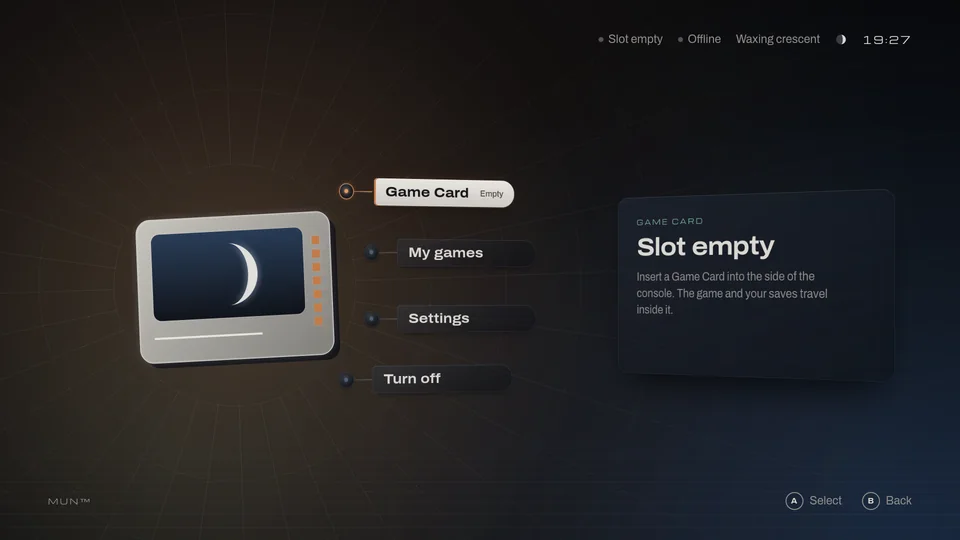
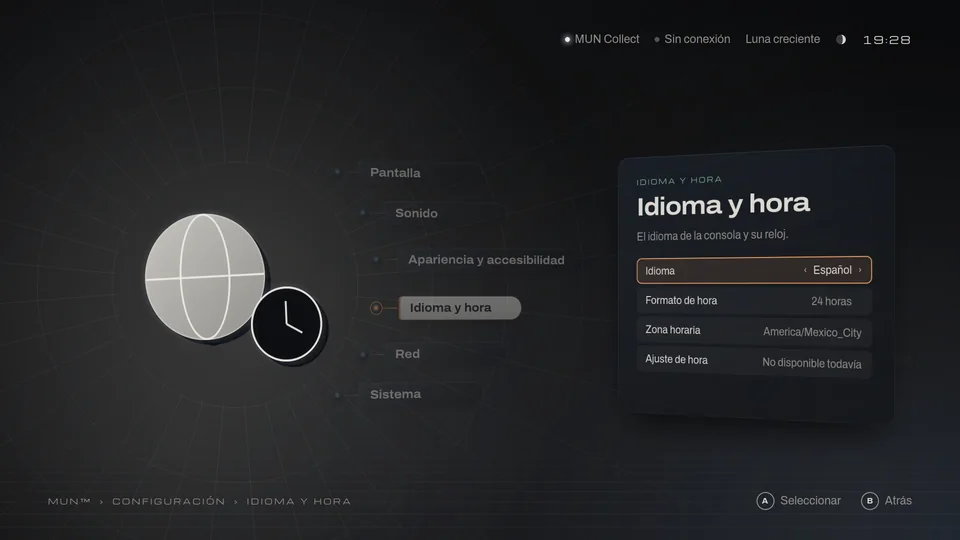
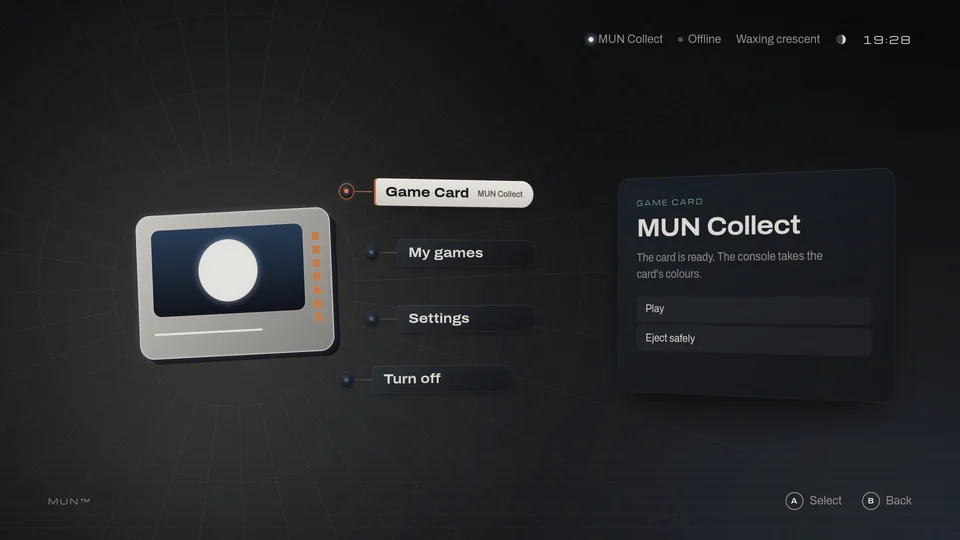
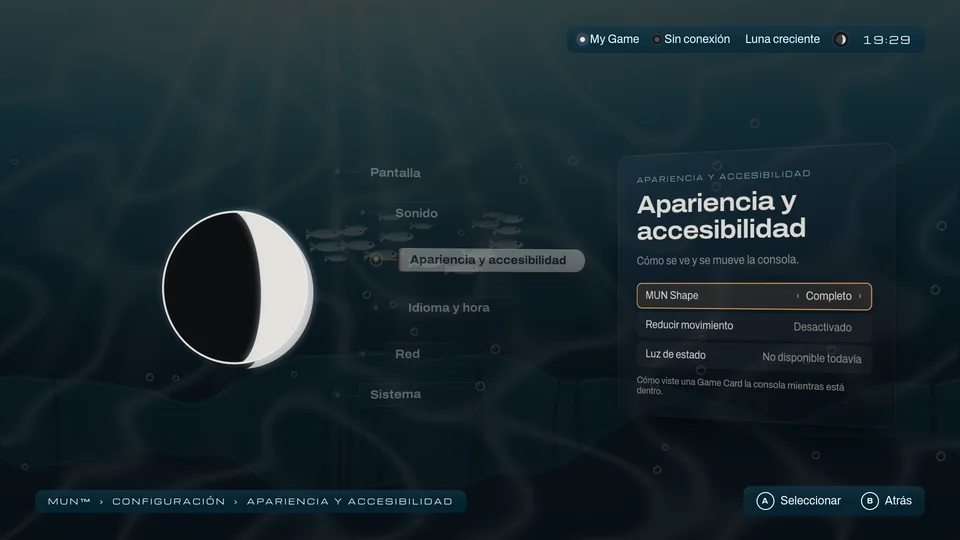
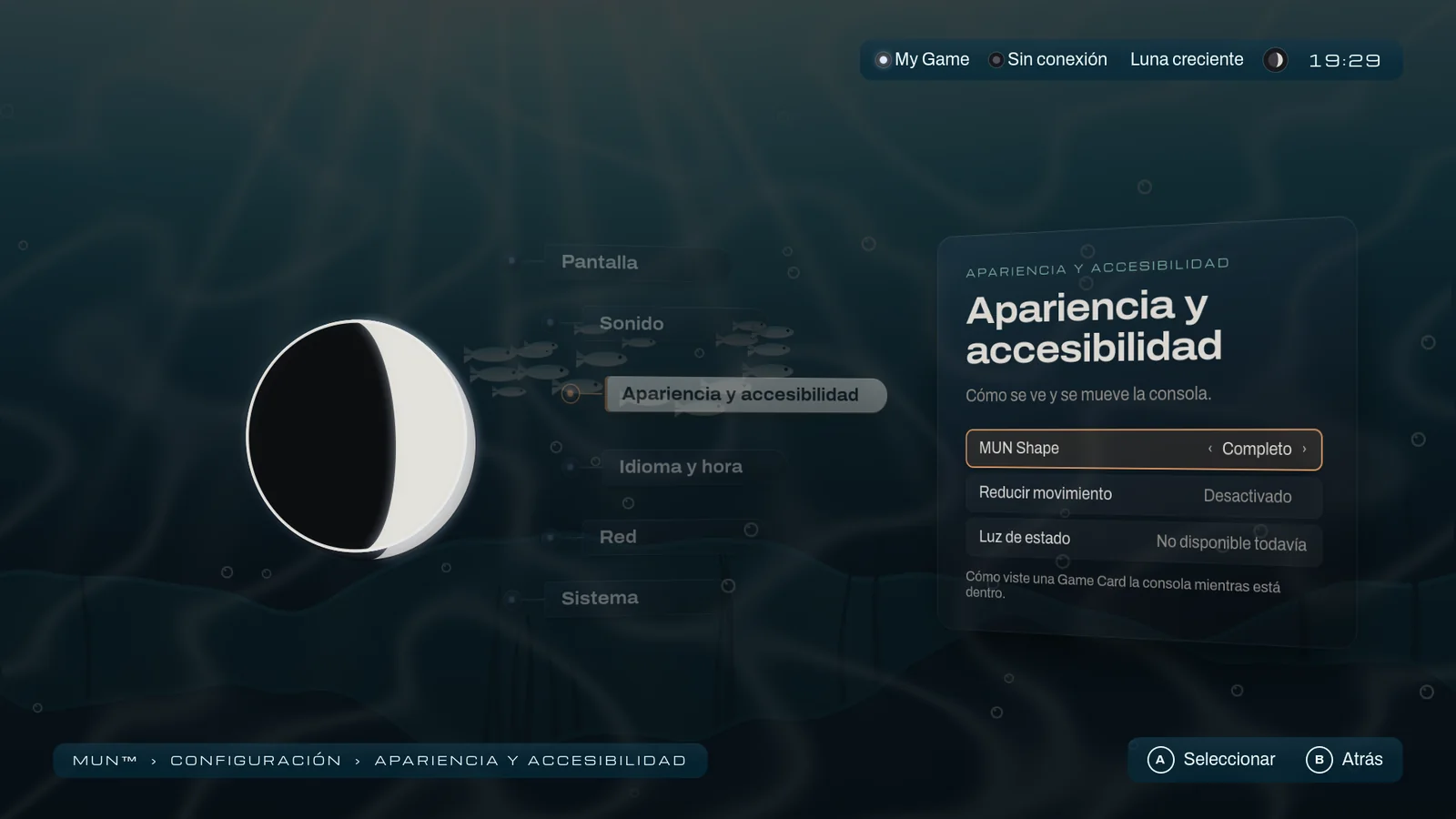
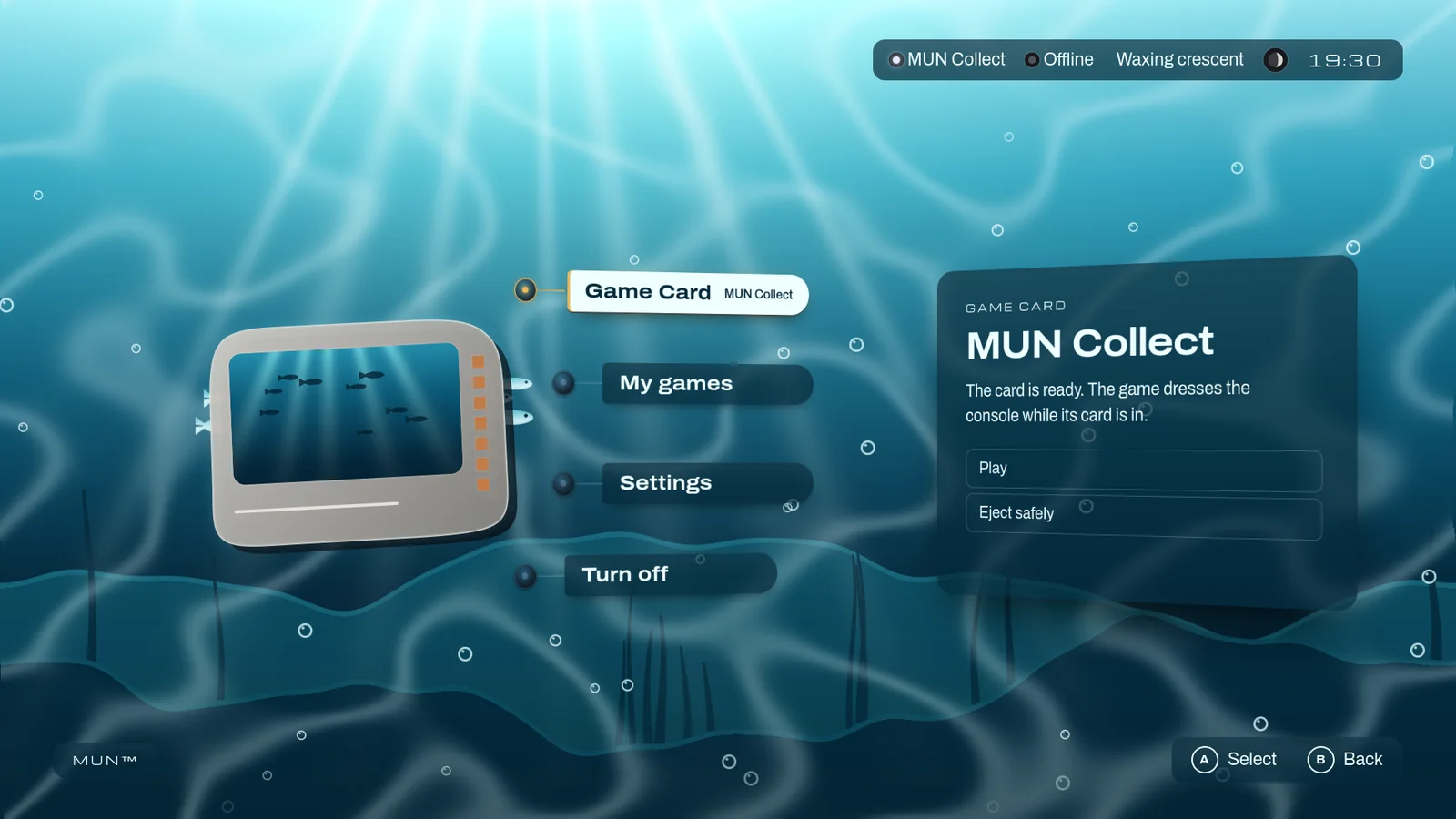
Its screens, as they are.
MUN OS is the console’s system. Today it runs on your computer as a virtual console. These are real screens of the published release.
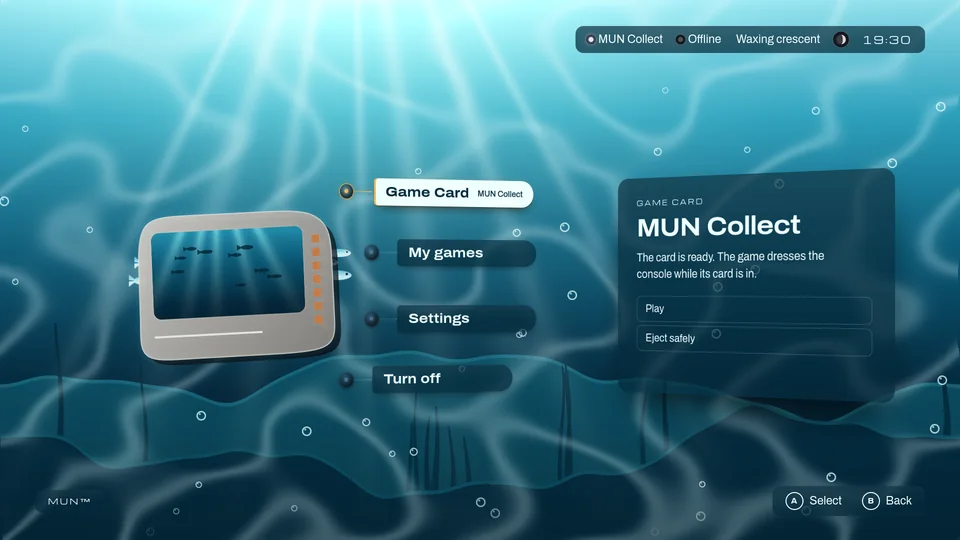
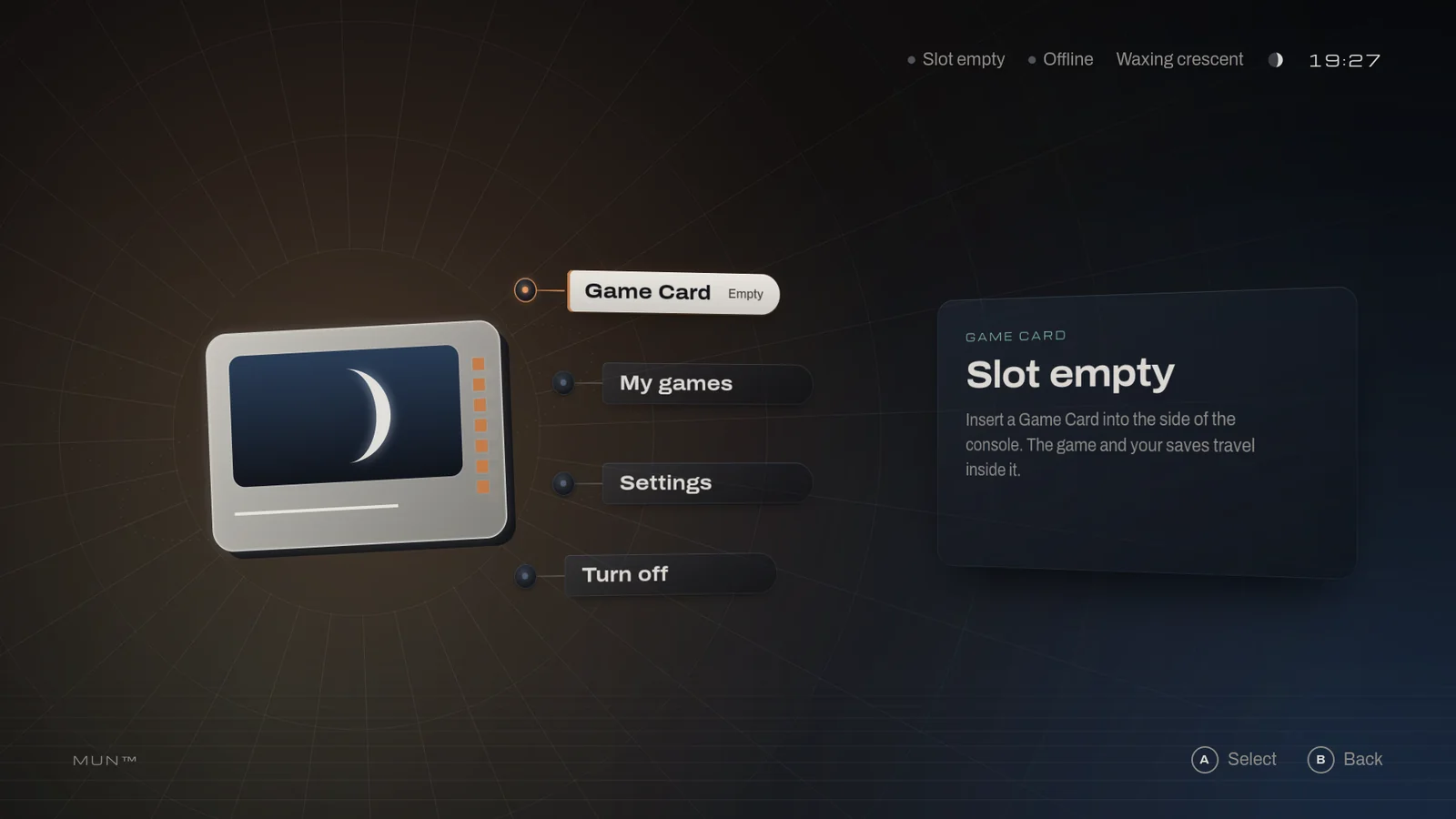
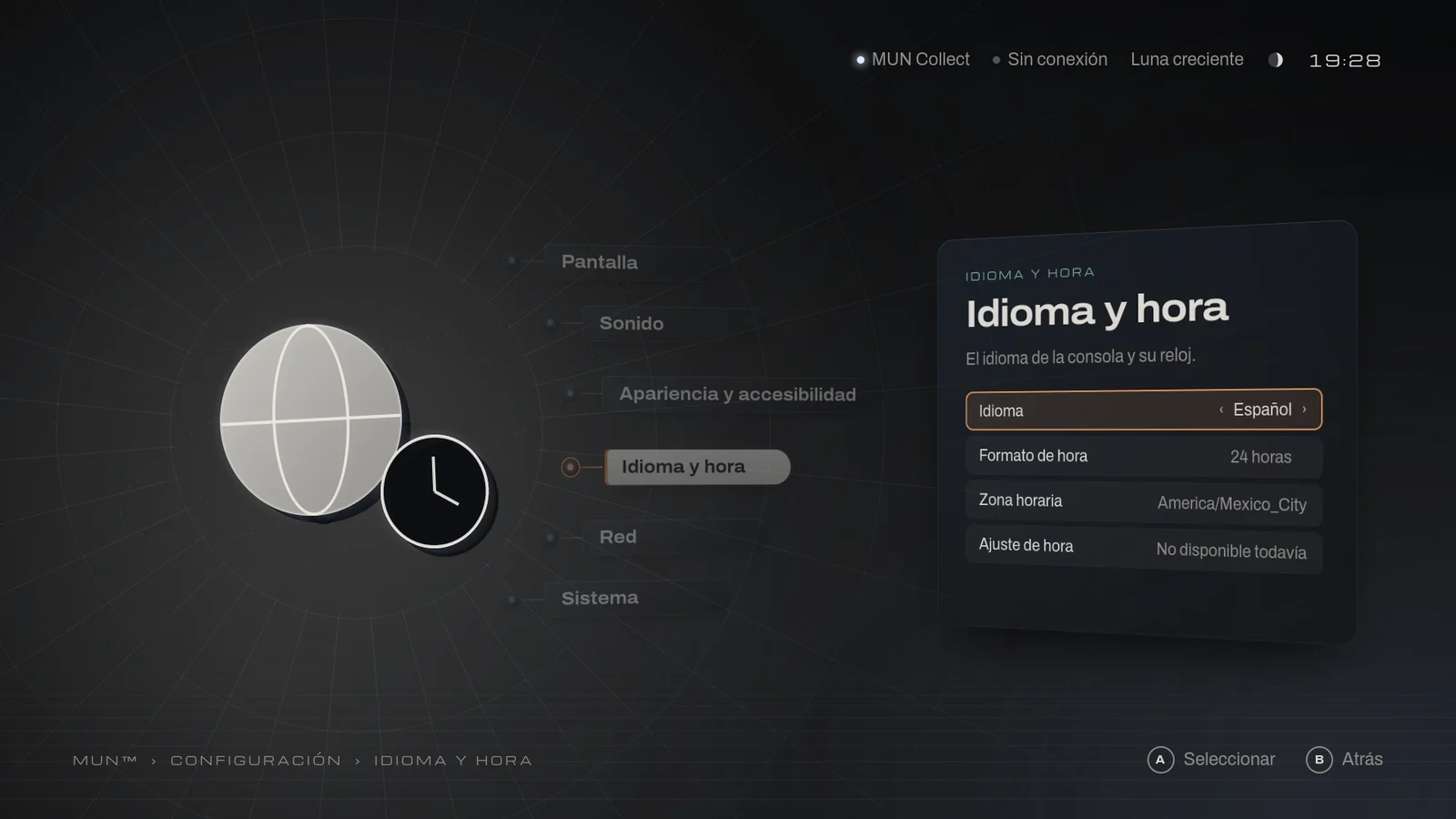
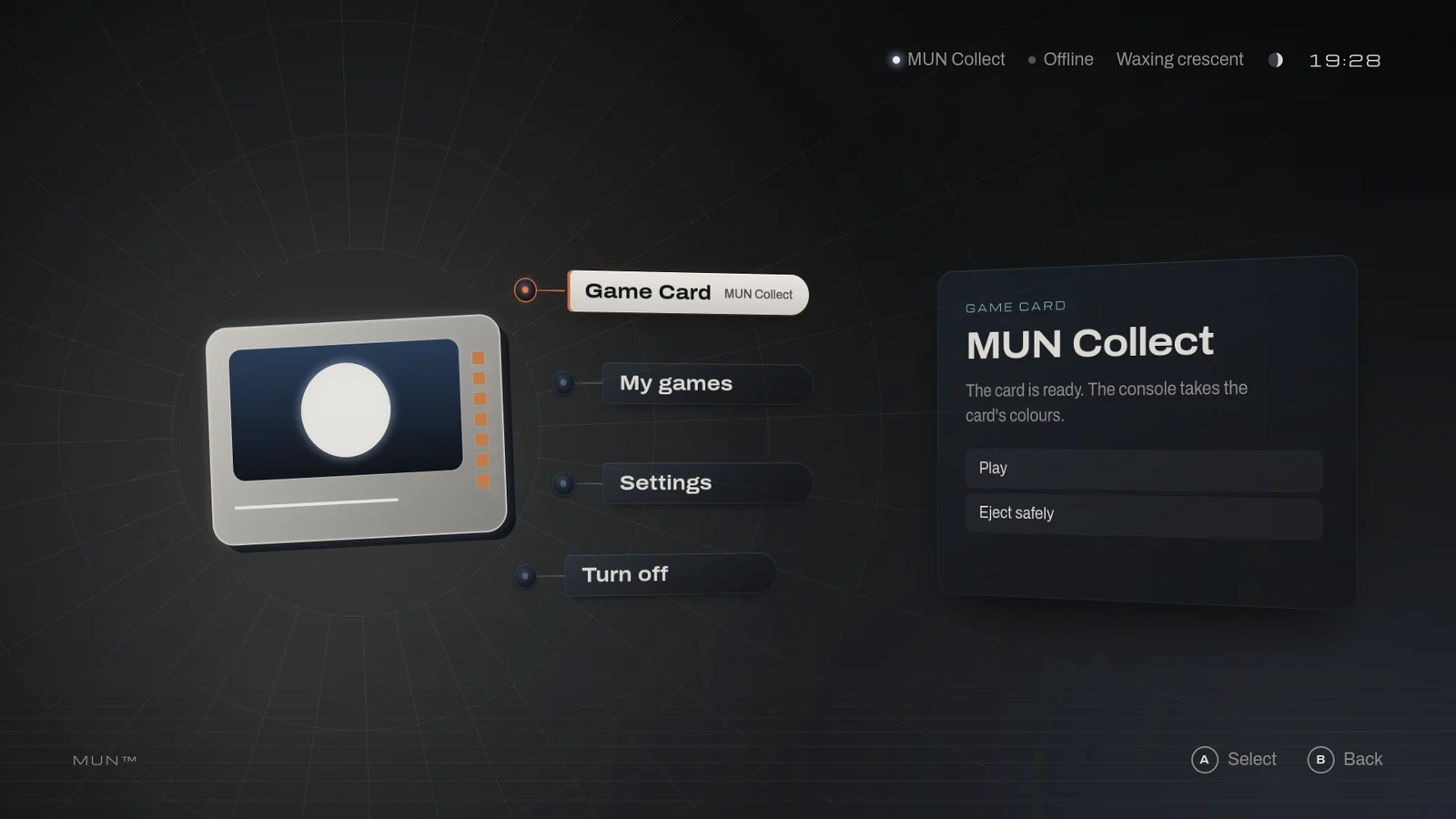
Also in dev.4
- A new start-upThe amber light breathes and grows, MUN arrives and the moon comes out of an eclipse.
- ResetThe settings, or the whole console back to its first day, without touching what is on the Game Cards.
- Less memoryThe interface takes 18 % less at 1080p and 25 % less at 1440p than in dev.3, measured in the virtual console.
- Bounded storageThe system journal is capped at 32 MiB.
Step by step MUN OS v0.1.0-dev.4
Boot it on your system.
Choose your system. Only the first step changes; on Windows, the commands start with py mun.
A Mac with Apple Silicon and about 1.5 GB free. QEMU, from Homebrew; Git and python3 come with the Apple tools Homebrew installs.
$ brew install qemuThe tools are MUN OS’s own repository. If you already have it from an earlier preview, update it with git pull. Without Git, use the release’s Source code archive: see after the steps.
$ git clone https://github.com/Play-MUN/mun-os.git $ cd mun-osThe image, its three Game Cards and their licences; every file is checked. If the download is cut short, run the same command again and it resumes. A Game Card you already have is never replaced: it may hold your saves.
$ ./mun get https://github.com/Play-MUN/mun-os/releases/download/v0.1.0-dev.4/release.jsonIt opens in a window, with sound, and MUN Collect goes in by itself. Enter, Enter: Play. Arrows move, S saves on the card and Esc leaves the game. To switch off: Turn off in the menu (Up from Game Card, Enter, Enter).
$ ./mun play --card collectWith the console off, switch it on again: MUN Collect says PARTIDA RECUPERADA. The save is on the card, not in the console.
$ ./mun play --card collectWith the console off, switch it on with the demo card in the download: MUN Collect dressed in the “sea” sample. While it is in, the console takes on the game’s identity.
$ ./mun play --card collect-seaOpens a console of its own with a disposable card dressed in the sample; your cards are only read. It needs e2fsprogs 1.47 or later: brew install e2fsprogs on macOS, the e2fsprogs package on Linux. Turn off ends the preview. If you used it with an earlier preview, its shape console keeps that image: this command uses another one, preview.
$ ./mun dev shape examples/shape/sea --window
$ brew install qemu
$ git clone https://github.com/Play-MUN/mun-os.git
$ cd mun-os
$ ./mun get https://github.com/Play-MUN/mun-os/releases/download/v0.1.0-dev.4/release.json
$ ./mun play --card collect
$ ./mun play --card collect
$ ./mun play --card collect-sea
$ ./mun dev shape examples/shape/sea --window
An experimental preview for QEMU, the same image on every system. There is no MUN hardware yet.
The full guide on GitHub →Without Git: the Source code archive
Download the release’s Source code archive, from its notes on GitHub, and unpack it: it makes the folder mun-os-0.1.0-dev.4. Open a terminal there and follow the steps from “Get the preview”.
For a new release, unpack its archive in a new folder and copy the earlier folder’s .local/gamecards into it: those are your Game Cards, with their saves. Then follow the steps from “Get the preview”, without ticking “I played an earlier preview”: the new folder starts with a console of its own. The earlier one stays as it was.
# in the new folder
$ mkdir -p .local
$ cp -R ../mun-os-0.1.0-dev.3/.local/gamecards .local/
On Windows, copy the gamecards folder with File Explorer.
Do not move the whole .local folder: each console keeps the path of its image and would no longer start. If you already did, remove that console with ./mun dev vm play destroy --yes (its settings go; the images and the cards stay), and the next ./mun play makes another one from the newest image.
Where it was checked
- Mac with Apple SiliconWith window, keyboard and soundThe whole path, from download to power-off.
- macOS, Linux and WindowsHeadlessDownload, start-up, card, game and power-off, on the published files, on GitHub’s virtual machines, x86_64 and ARM64. With a window and sound, not tried yet.
- MUN hardwareNot validated yetThe physical console is in design: MUN OS does not run on it yet.
Known limits
- Only in QEMU: no hardware, controllers or updates yet.
- Memory is measured in the virtual machine, with software rendering; it says nothing yet about the console’s board.
- Reset console is not a reinstall or a secure erase.
- A change of settings may be lost if the power goes within seconds of it; the settings file is never left damaged.
- Several options say “Not available yet”: HDR, the refresh rate, the sound output and format, the status light, setting the time, joining a network and updates.