← All entriesMUN OS
MUN™ OS dev.5, the biggest release yet
A Home in orbit, controllers in the menus, console sounds, a start that is MUN from the first frame and Reef in motion, on a sturdier console.
6 min read
v0.1.0-dev.5 of MUN™ OS is out, and it is the biggest release yet: 312 files and about 36,800 new lines, more than twice any earlier release. It is an experimental preview for QEMU, a virtual console you download and play on your computer. There is no MUN hardware yet, and it is not a supported release.
To play
A Home in orbit
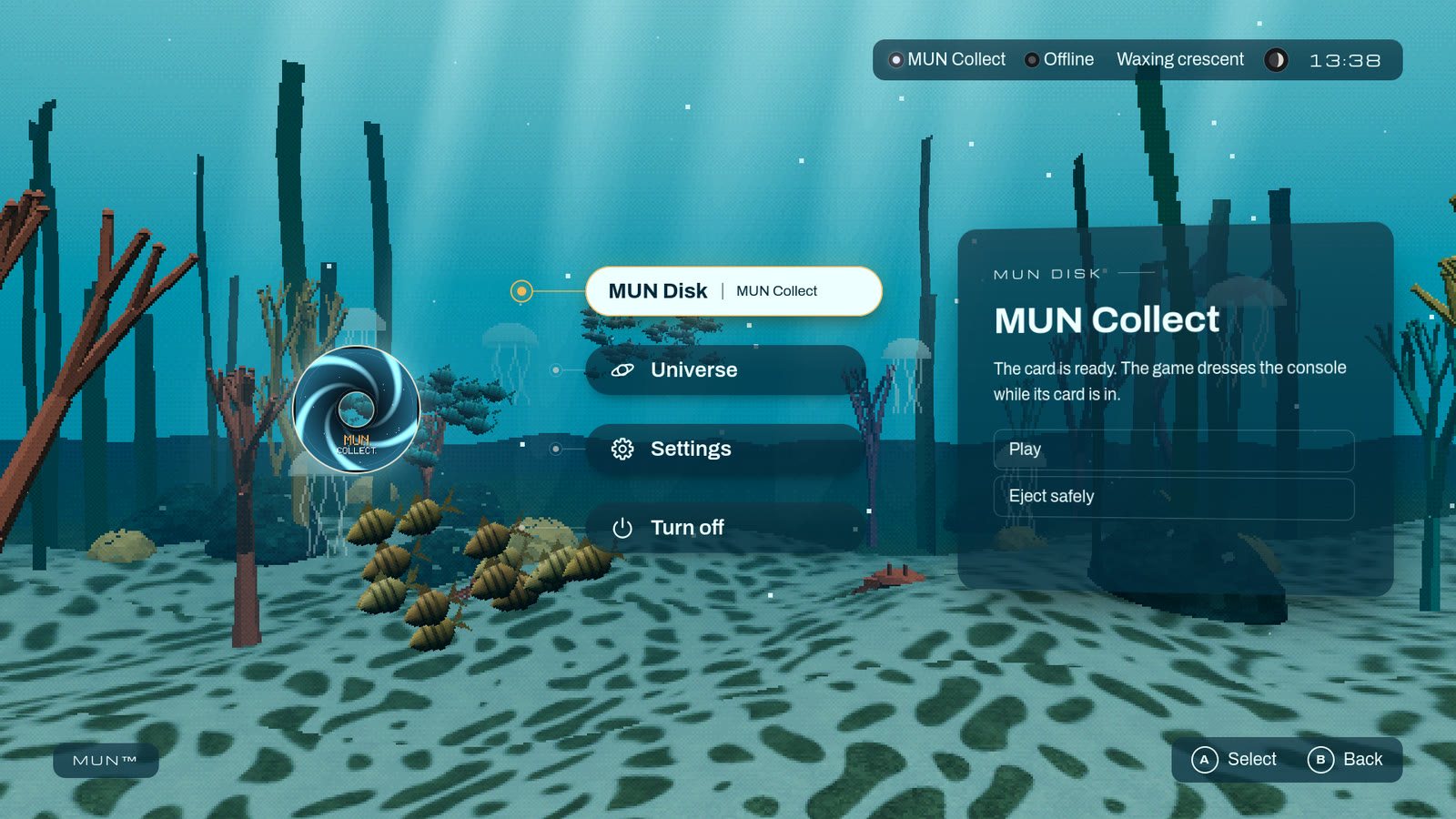
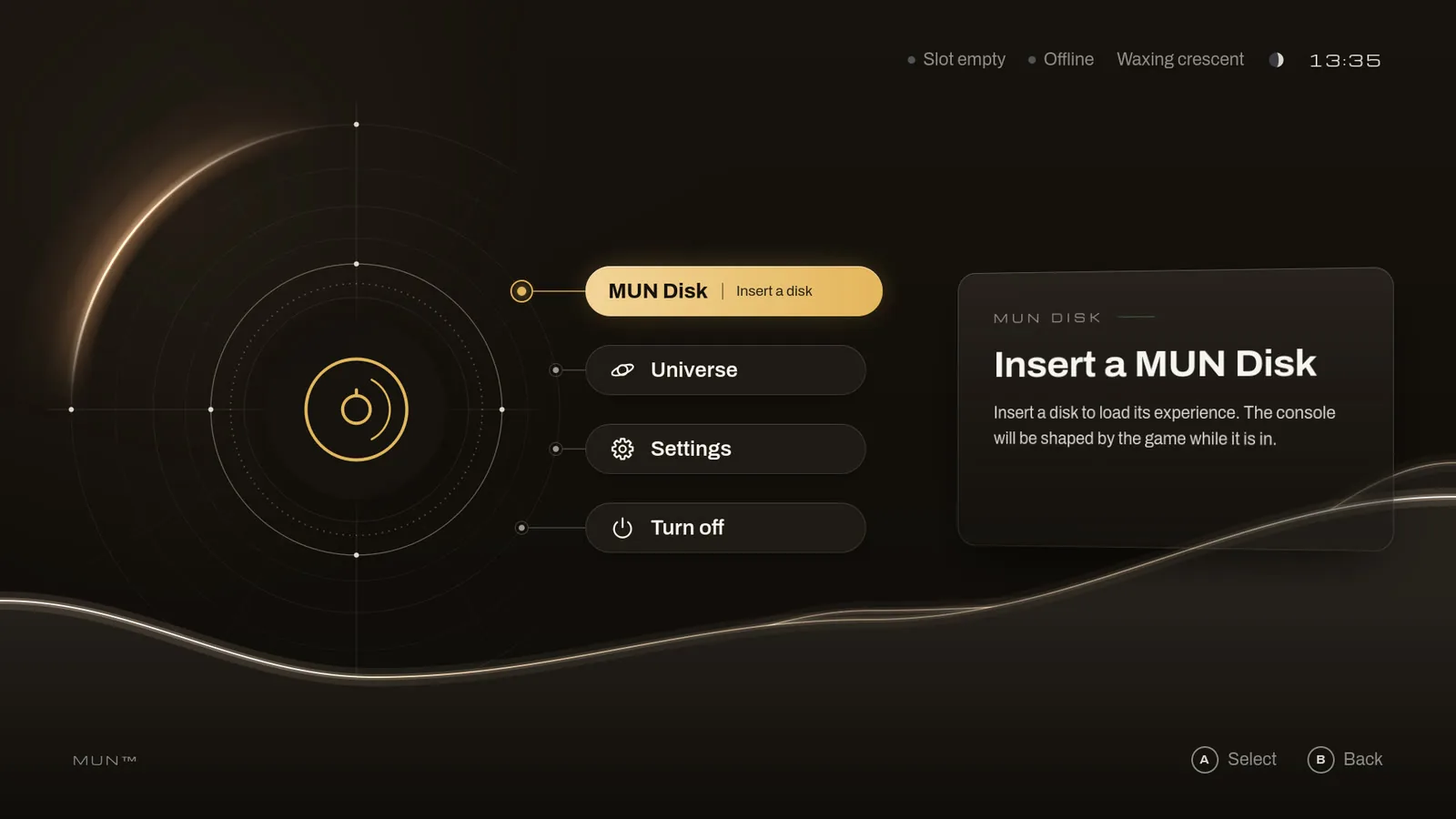
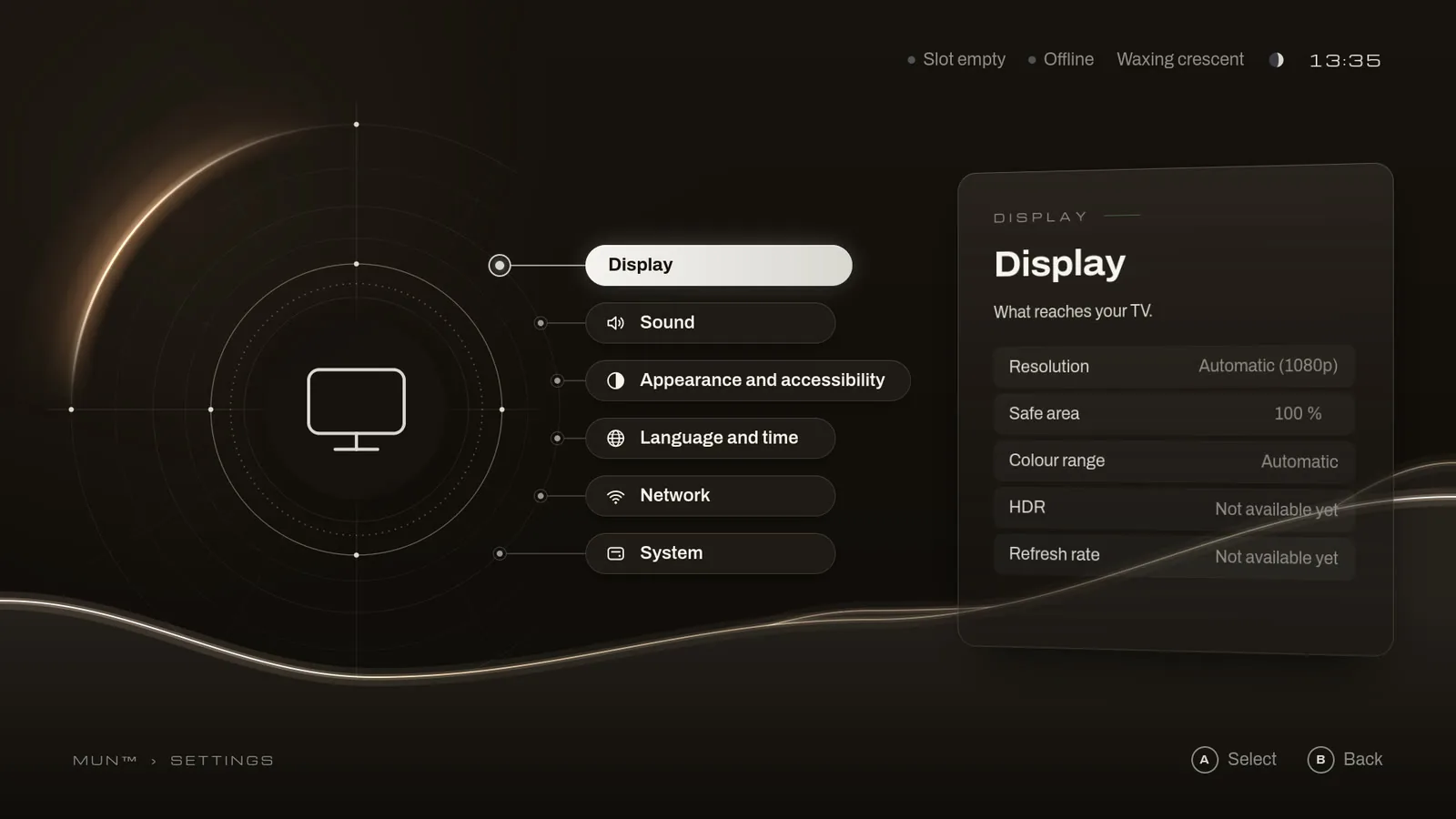
The main screen is now an orbit. The entry in focus stands large at the centre, and when a disc is inside it is the disc’s own object. Around it are MUN Disk, Universe, Settings and Turn off, each with its panel. Settings opens as an arc of its own. After ten minutes untouched the screen dims, and the first key only wakes it.
MUN Disk is also the name the interface now gives the medium games come on.
Controllers
A controller drives the menus as the keyboard does: the directional pad or the left stick to move, the bottom button to accept and the one to its right to go back. We tried it with a controller over Bluetooth on MUN Dev.
The console sounds
There is a sound for each thing the console does: when a game hands it back, when it releases a disc, when it refuses to let one go, when a controller comes or goes, and when it turns off. The console goes down once its sound has played.
MUN from the first frame
As soon as the system can draw, the console’s standby picture appears, the dark screen with its light on, and the interface takes over from that same frame. Then comes the start-up, which follows its sound while the sound really plays; without sound, the picture goes on by itself, at its own pace.
Reef: MUN Shape in motion
With MUN Shape, a disc can now bring a scene that moves behind the menus and answers them: planes at different depths, creatures following paths, particles and light. The package declares it as data and the console’s own player plays it: nothing on the disc runs.
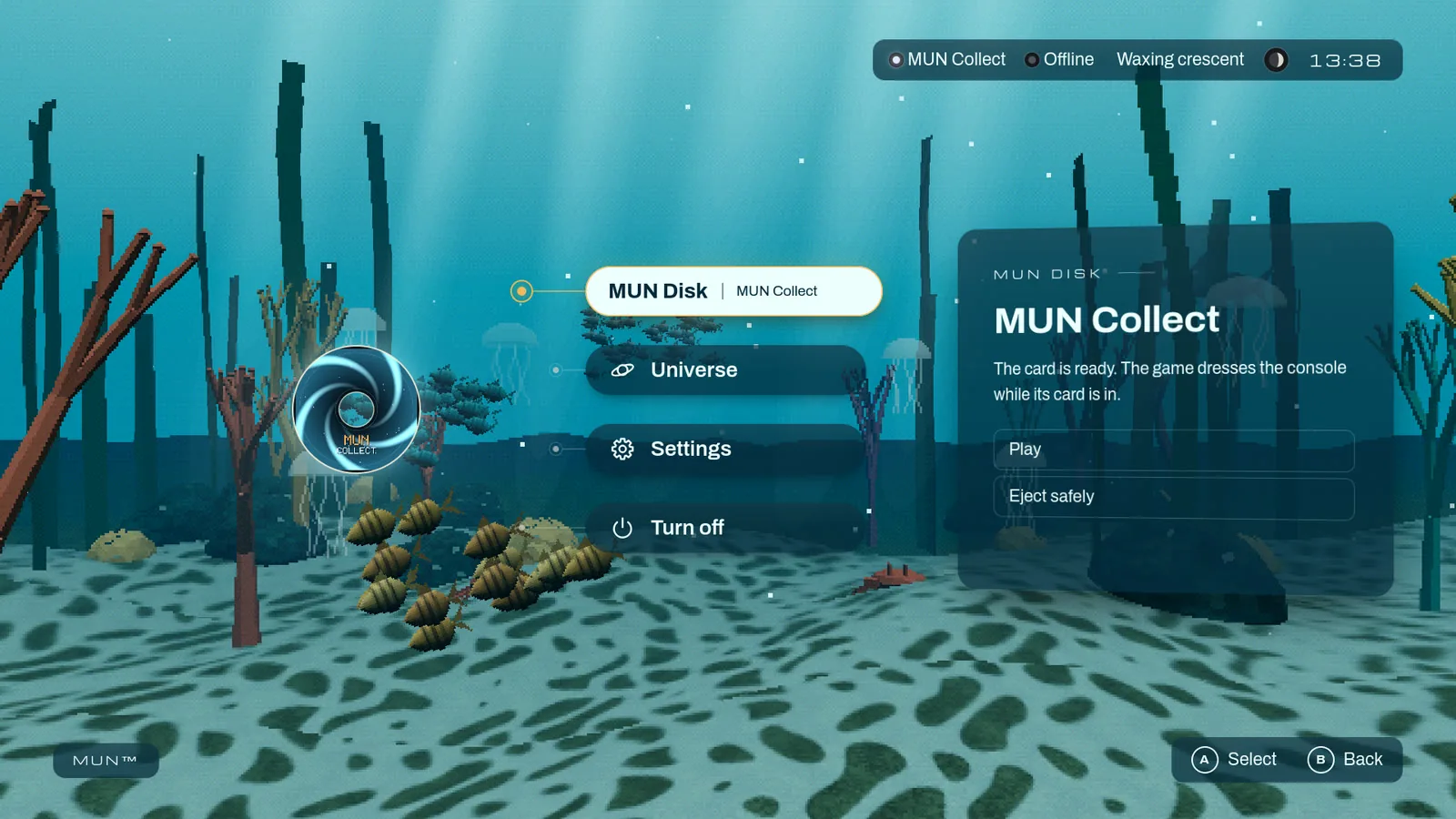
Reef is its example: a sea with schools of fish, a shark, crabs and kelp behind Home, and a school that gathers below the disc when the focus moves to Play. The studio Reef is made in is in the repository.
- It is an experimental draft: its names, defaults and limits may change in any version, and each package says which revision of the draft it is written for.
- MUN Shape v1 is unchanged and stays the stable contract. A package with motion keeps its v1 look, which is what earlier releases show.
- With Reduce motion, the scene holds still.
The Reef you see on this site is a visualization in the browser; on the console its own player draws it, as in the capture.
Try it today
With MUN OS’s tools and QEMU:
git clone https://github.com/Play-MUN/mun-os.git && cd mun-os
./mun get https://github.com/Play-MUN/mun-os/releases/download/v0.1.0-dev.5/release.json
./mun play --card collect-reef
The download brings four MUN Disks: MUN Collect, MUN Collect dressed in the
“sea” sample, MUN Collect dressed in Reef and the MUN Test Card. If you
played an earlier preview, the guide to trying MUN OS says
how to start this one in a console of its own; your discs and their saves
work in both. On Windows, the commands start with py mun.
A sturdier console
Much of this release does not show: it makes the console hold up to everything that reaches it from outside, from a disc, a game or the computer.
- Saves are written compactly and read back whole, also those made of many small values.
- The console’s services refuse what they do not expect, such as text that cannot be encoded or very deep nesting, and keep running.
- Each game has its own shared memory and its own inter-process communication, and the launcher and the interface have a memory ceiling.
- Mounts, jobs and connections have limits. A disc goes back to read-only after a save, and taking a disc out is always reported.
- The interface checks every PNG image before opening it.
It also brings two security fixes, published as advisories in the repository. If you use an earlier preview, update the tools and the image.
For developers
- MUN Dev, in source. The
q6a-devprofile builds MUN OS for our development board, a Radxa Dragon Q6A: 1080p at 60 Hz over HDMI through its GPU, sound, discs on microSD cards, a wired network and SSH. It is experimental and we do not publish its image. It is not the console, which is designed around a different board: what we measure on MUN Dev says nothing about it. What has been checked on MUN Dev. - The interface draws through a GPU where the system gives it a graphics API, finds out by itself and says which in its journal. In the virtual console it still draws in software.
- Image profiles with their own image format and pinned packages, and a disc service that can read from a named reader.
- New checks of the start-up’s clock and of the sound device’s health, which run on any computer.
- A release tested before it goes out: the test on the five systems
runs on a draft with the final files, and
docs/releasing.mddescribes it. - New documentation: the guide to MUN Shape’s motion and MUN Dev’s page, with the rest kept up to date in English and Spanish.
Where we tried it
- On a Mac with Apple Silicon, with this release’s own files: the console starts, plays MUN Collect, gives the disc back and powers off, also with Reef, and its sound was recorded whole.
- On GitHub’s virtual machines, before publishing it: macOS ARM64, Linux x86_64 and ARM64, Windows Server 2025 x86_64 and Windows 11 ARM64.
- On MUN Dev, with the profile built from the same source: the start with its sound, Reef on Home for 33.6 minutes with nothing restarting, discs put in and taken out while running, a game of MUN Collect with its save written to the disc, and power-off from the menu.
Still to come
- Settling MUN Shape’s motion: today it is a draft, and a package written now may need changes.
- Bringing controllers to games, which get the keyboard and the pointer today, and to the virtual console.
- Updates of discs and of the system.
- The options that still say Not available yet: HDR, the refresh rate, the sound output and format, the time, the network and updates.
- Finding why MUN Dev’s wired network sometimes goes down.
- Making sure a sound device that stops answering can never hold the interface.
- On Windows, accepting user folders without a short name when their path is not ASCII; today the tools say so and what to do.
In the virtual console the scene is drawn in software: how smoothly it moves there says nothing about a console.
More
The release notes, the getting started guide, the guide to MUN Shape’s motion and the Reef example, with the studio it is made in.